



Before switching from Serotonin to another Rust cheat, check whether the replacement has the features you rely on, how it handles Rust patches, and how it reports problems. We make an alternative, so treat our view with that in mind. Here is what ours does, and what you should ask of any provider.
Why people look for an alternative
Common reasons are a paused build, a missing feature, slow support or a price that no longer suits. None of those say anything bad about a particular provider. Rust patches often, and every seller has quiet spells. What matters is how openly they communicate during them.
A checklist for switching
- Features. Write down what you use daily: aim settings, ESP types, radar, recoil.
- Anti-cheat. Rust runs Easy Anti-Cheat. Ask what the seller says about it, and be sceptical of promises.
- Update behaviour. Find out whether builds update by themselves.
- Visible status. Look for a status page you can read before playing.
- Support. Find out how you reach a human.
- Payment and duration. Fixed plans are easier to judge than open-ended ones.
What we offer for Rust
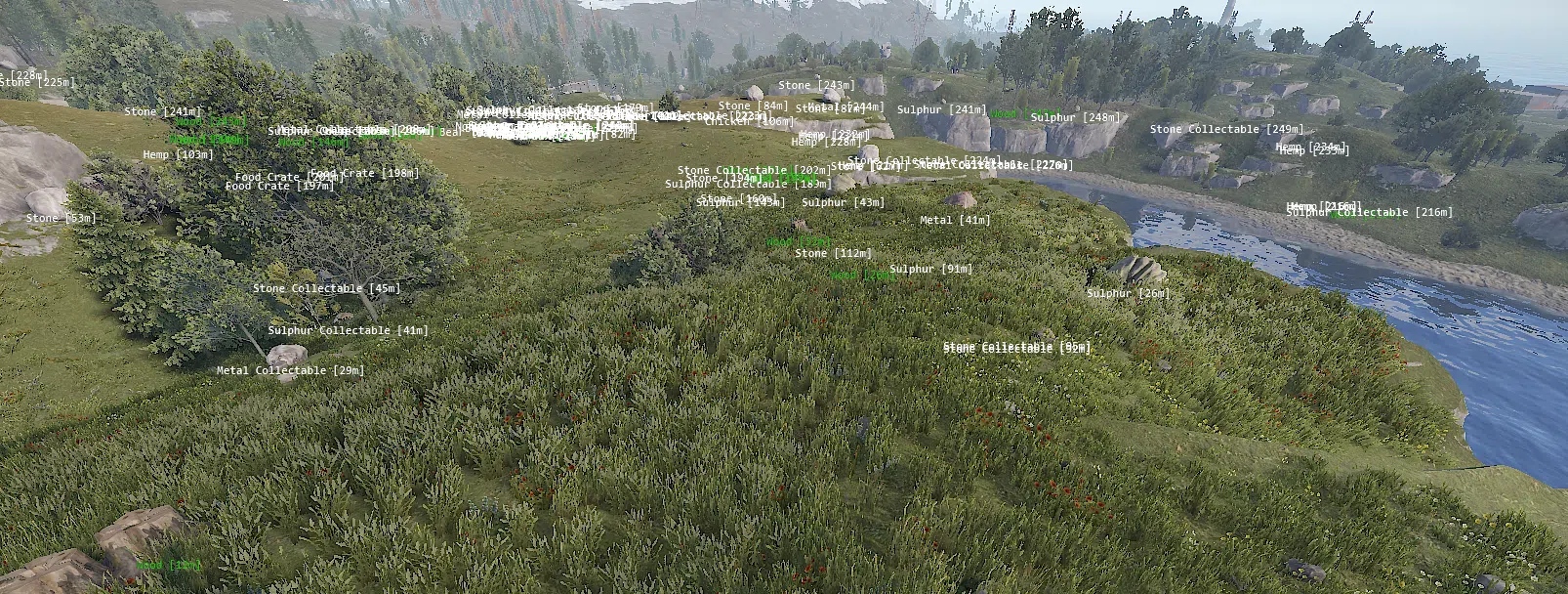
Our Rust cheat is external and built for EAC. It has an aimbot with prediction, smoothing, humanisation and a visibility check, ESP for players, held weapons, ores, items, animals and raids, a radar, recoil control and streamproof output. There are Standard and Rage builds, and plans run for a day, a week or a month. It needs Windows 10 or 11. The full list is on the Rust cheat page.
Setup uses one loader for every game. Updates arrive automatically, and when a build needs testing we pause it and post the reason on the status page. Days lost to a pause are added back. You can read more on how it works.
FAQ
Will I get banned?
It is possible with any cheat. We build for EAC and pause when a build isn't safe, but we can't promise you will never be banned. Check status before each session.
Is Serotonin worse?
We can't say that, and we wouldn't. Competitor details change, so check their current status, features and pricing before you buy.
How do I pay?
Checkout takes cards through Stripe, and your key appears in the dashboard as soon as payment clears.
More Rust reading
If you are still learning the game itself, start with our solo Rust guide. When you are ready to compare plans, the pricing page has them all.