



For Black Ops 6, set Field of View between 100 and 120, turn Motion Blur and Film Grain off, and keep Effects Volume at maximum so footsteps stay clear. On PC, use low shadows, SMAA T2X and NVIDIA Reflex, and start your mouse sensitivity at about 6. Treat these as starting points and tune them to your hardware.
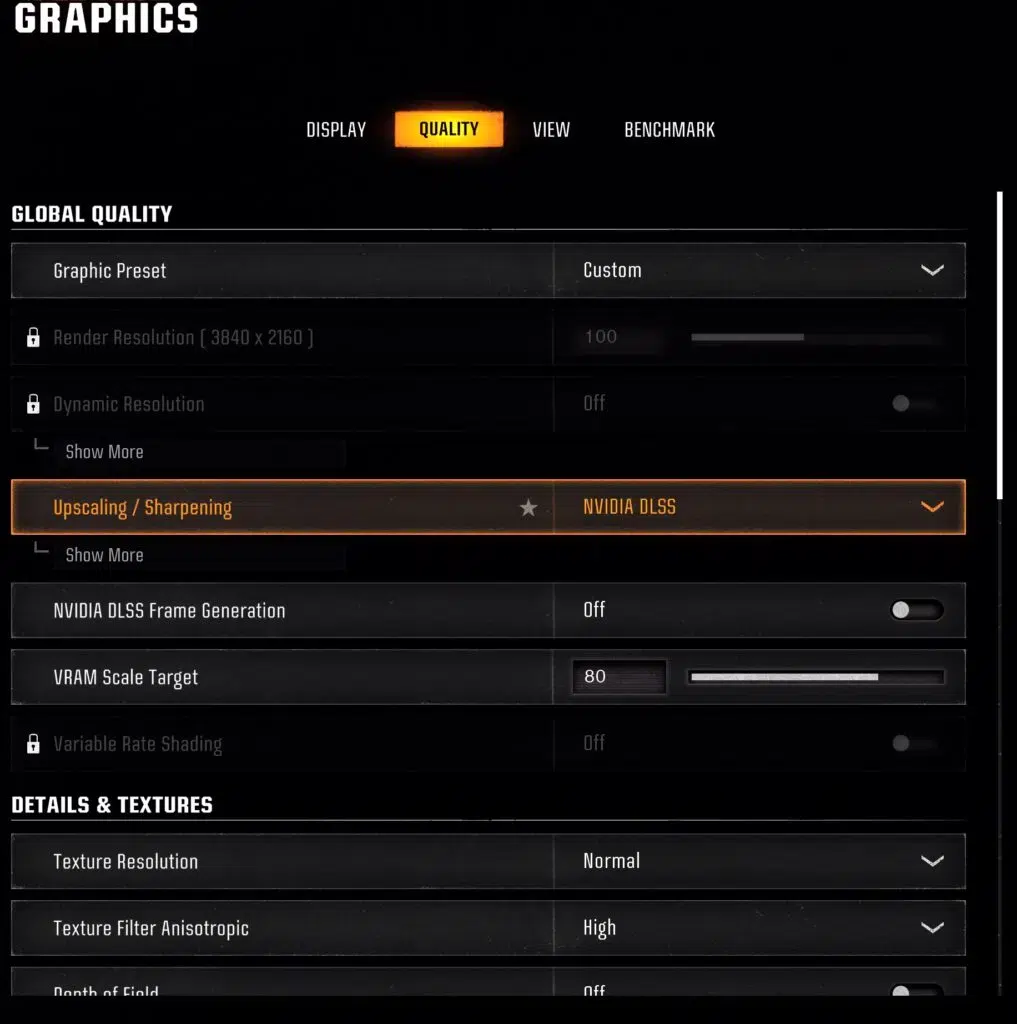
Display and audio for everyone
| Setting | Value |
|---|---|
| Field of View | 100 to 120 |
| Motion Blur and Weapon Motion Blur | Off |
| Film Grain | 0 |
| Master Volume | Maximum |
| Effects Volume | Maximum |
| Music Volume | Half |
| Dialogue Volume | 70 |
| Hit marker sound | On |
Press Ctrl+F in the settings menu to search for an option. If you moved from another shooter, a sensitivity converter will save you hours of retraining.
PC graphics
| Setting | Value |
|---|---|
| Texture Resolution | Normal |
| Texture Filter Anisotropic | High |
| Shadow Quality | Low |
| Screen Space Shadows | Off |
| Screen Space Reflections | Off |
| Anti-Aliasing | SMAA T2X |
| Depth of Field | Off |
| NVIDIA Reflex | On or On + Boost |
Mouse
Start sensitivity at 6 and adjust. Set ADS sensitivity to Relative, and switch mouse acceleration, filtering and smoothing off so your hand movements map directly onto the screen.
Controller
These work on PC, PlayStation and Xbox.
- Stick sensitivity 6 horizontal and vertical.
- ADS multiplier 0.8 for low and high zoom.
- Aim response curve Standard or Dynamic, vibration off, aim assist Standard.
- Deadzones: minimum 2 on both sticks, maximum 80 on the left and 99 on the right.
- Tactical button layout and Default stick layout.
Network
Use a wired connection, close apps that eat bandwidth, pick the server region closest to you and keep an eye on ping. An Open NAT type helps matchmaking. Black Ops 6 has used TCP 3074 and UDP 3074 to 3079, which you can forward on your router if you have connection trouble.
HUD
Turn on minimap rotation, choose a crosshair colour that contrasts with most maps and trim anything on screen that you never look at.
When you are set up, our Warzone winning guide covers what to practise next. Players who want help beyond settings can read about our Call of Duty cheat.